EgoServer本身源自EgoPay基于V免签使用-请勿用于违法用途仅供交流学习
Tip
该软件为付费软件!
预览
| 功能 | 详情 | 支持 |
|---|---|---|
| 操作系统 | Windows、MacOS、Linux、Android | 全平台✅ |
| CPU架构 | AMD64、ARM64 | 全架构✅ |
| 支付系统 | V免签、EgoPay系统 | 定制✅ |
| 已测试发卡 | 异次元、独角Dujiao-Next | EgoPay定制✅ |
快速开始
开始前先创建应用 前往
1. 下载软件
2. Windows
-
双击运行 EgoServer.exe(已配置数据)
-
推荐bin目录下打开终端输入EgoServer运行(推荐)
-
config.txt配置后台监控端数据 {监控端数据}
-
alipay.properties配置alipay开放平台数据
# 卡密
kami=无需修改
# 配置数据(后端监控端)
data=监控端数据
3. Linux
chmod 755 ./EgoServer-linux
- [前台运行]
./EgoServer-linux
- [配置完成使用后台运行-可选]
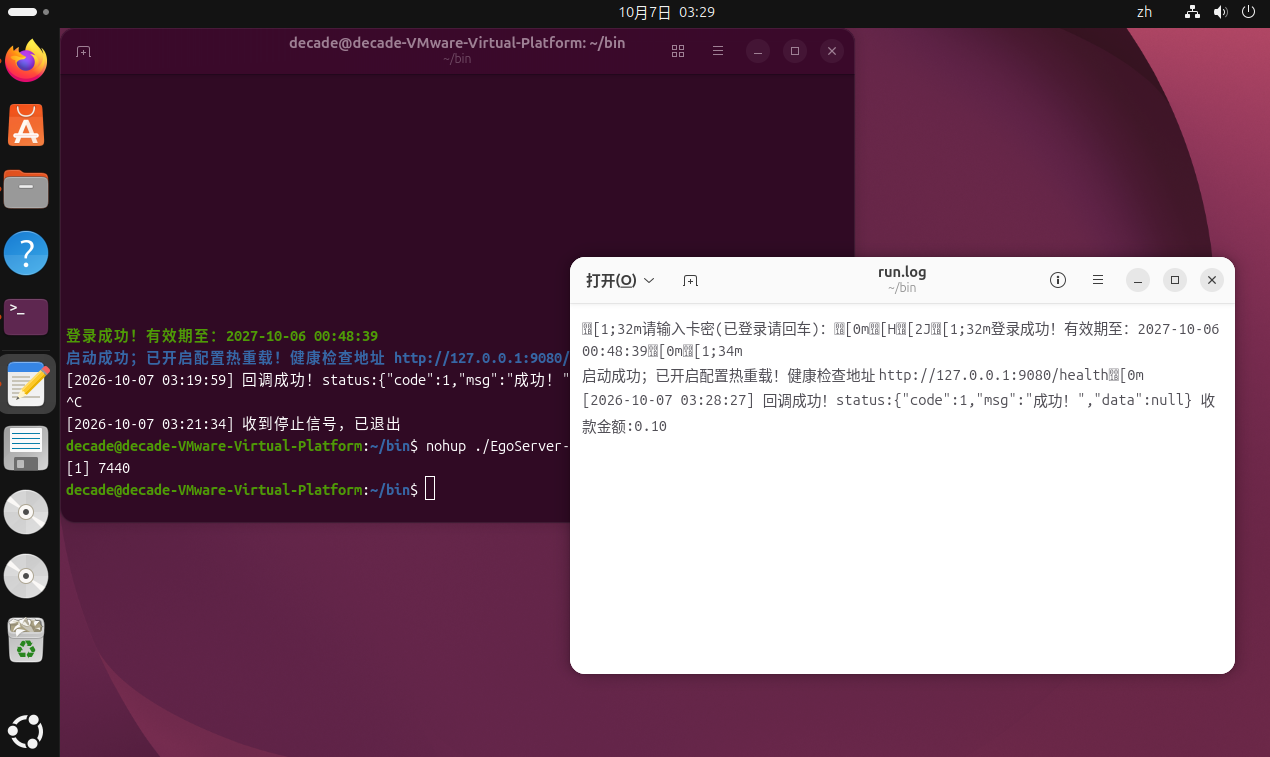
nohup ./EgoServer-linux > run.log 2>&1 &
4. MacOS
-
[M系列]
xattr -cr ./EgoServer-darwin-arm64
chmod +x ./EgoServer-darwin-arm64
- [前台运行]
./EgoServer-darwin-arm64
- [配置完成使用后台运行-可选]
nohup ./EgoServer-darwin-arm64 > run.log 2>&1 &
#查看日志
tail -f run.log
-
[intel 版本]
xattr -cr ./EgoServer-darwin-amd64
chmod +x ./EgoServer-darwin-amd64
./EgoServer-darwin-amd64
- [配置完成使用后台运行-可选]
nohup ./EgoServer-darwin-amd64> run.log 2>&1 &
#查看日志
tail -f run.log
Warning
后台运行需要登录成功且配置完支付宝数据和后端监控端配置数据。运行后可以查看run.log日志
5. Android
Note
Android比较特殊,支持真机Arm和模拟器AMD配置一致
-
下载ZeroTermux
-
右滑(音量减)打开文件管理器 进入home目录 - 右上角挂载SD卡链接
-
进入挂载的sdcard目录找到你下载的文件夹 bin 长按复制到home
-
最终文件的路径为: /data/user/0/home/bin/
-
命令行默认 home目录 可以直接run
-
终端键入进入程序文件夹
cd bin
开始运行(记得配置数据-config.txt alipay.properties)
chmod +x ./EgoServer-android-arm64
./EgoServer-android-arm64
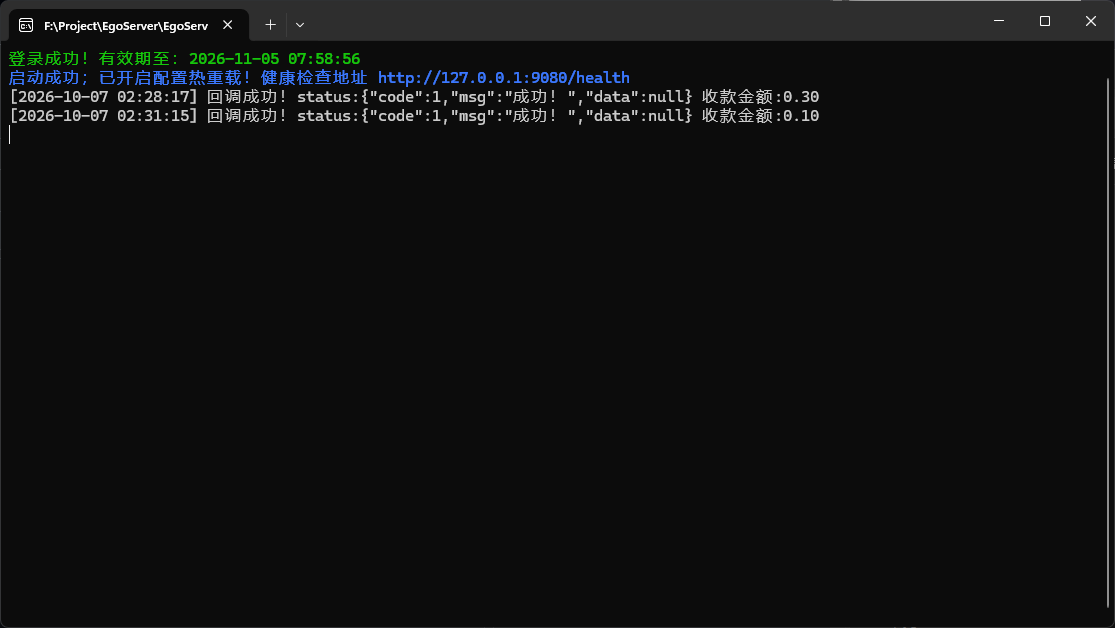
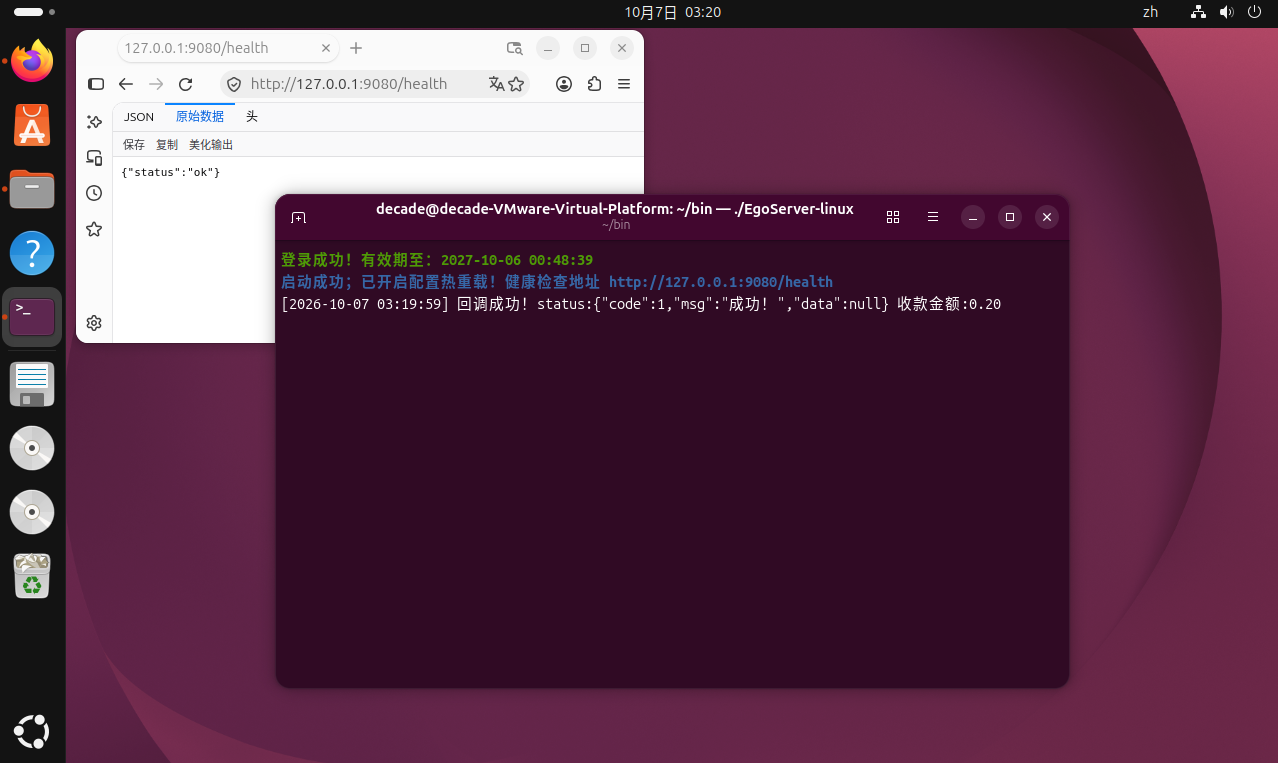
软件截图
Windows
Linux
Linux后台运行
Tip
健康检测 http://127.0.0.1:9080/health
退出程序(必须运行本机执行,公网访问无效) http://127.0.0.1:9080/health?exit
卡密解绑
购买软件
允许转载-转载文章请注明出处!